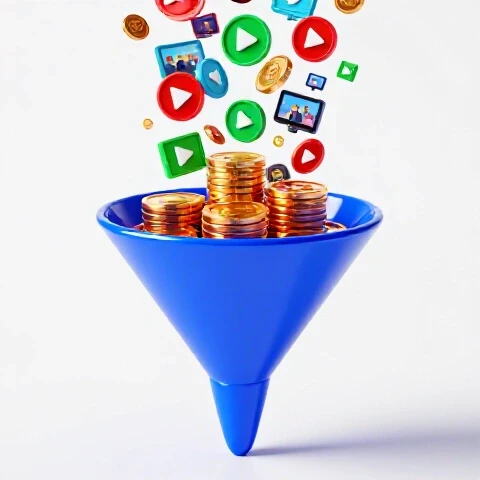
How to Sell Digital Products on YouTube for Extra Income (Guide)
Transitioning a YouTube channel from a casual hobby into a predictable business requires moving beyond the “hope-and-pray” method of AdSense. If you want to build a stable income, you must learn how to turn your viewers into customers by offering them high-value downloadable assets. This guide shows you how to integrate your own digital offerings into your content strategy using the same financial systems I have used for over a decade. By the end of this article, you will know how to track your costs and optimize your videos for maximum conversion without relying on unpredictable algorithm shifts.

Establishing a Financial Foundation for Creator-Led Offerings
Financial foundations in the creator economy involve moving from a “cash-in, cash-out” mindset to a structured ledger system. This means tracking every dollar spent on equipment, software, and labor against the specific revenue generated by your own digital assets. It creates a clear picture of your actual profit margins.
When I first started, I relied on the monthly deposit from YouTube. It was exciting but dangerous. One month the views would drop, and my income would vanish. To fix this, I began treating my channel like a storefront. I created a simple spreadsheet to track my “Cost of Goods Sold” for every digital guide and template I produced. This allowed me to see that while AdSense paid the bills, my own products provided the actual profit.
To build your own system, start by separating your personal and business expenses. Use a dedicated bank account for your channel. This makes it easier to see how much you are actually investing in your digital product launches. I recommend using a basic Google Sheets tracker to log your monthly software subscriptions and any freelance help you hire for asset creation.
- Step 1: Open a business-only checking account.
- Step 2: List every recurring software cost related to your digital assets.
- Step 3: Categorize your revenue by source (AdSense vs. Personal Products).
Optimizing Video Content for Direct Asset Sales
Revenue-focused video creation is the process of designing content that naturally leads a viewer toward a specific purchase. Instead of just chasing views, you create a “value bridge” where the video solves a small problem and your digital product solves a much larger, more complex one.
In my experience, the most successful videos for selling products are those that provide a “quick win.” For example, if I am selling a budget template, I will make a video showing how to save $100 in a week. The video provides immediate value, but the template I offer in the description provides the long-term system. This approach creates a high-trust environment where the viewer sees you as an expert before they ever see a price tag.
Data-driven video marketing also means looking at your “click-to-sale” ratio. If a video gets 10,000 views but zero sales, the content is likely too broad. I found that my “boring” tutorials often outperformed my “viral” lifestyle videos in terms of actual income. You want to attract the right people, not just the most people.
I learned this the hard way when I realized I was spending 40 hours on a product that only made a few hundred dollars. When I factored in my hourly rate, I was essentially paying to work. To avoid this, you must track “Work Hours per Product.” If a template takes 10 hours to build and 5 hours to market, you need to know if the return justifies that 15-hour investment.
| Expense Category | Typical Monthly Range | Impact on Product Profitability |
|---|---|---|
| Asset Hosting | $20 – $100 | Fixed cost; requires minimum sales to break even. |
| Graphic Design | $50 – $300 | Variable; impacts the perceived value of the offer. |
| Video Editing | $100 – $500 | High impact; better editing increases viewer retention. |
| Research & Dev | 5 – 20 Hours | Opportunity cost; limits how many videos you can make. |
By maintaining these records, you can determine your “Break-Even Point.” This is the number of units you must sell to cover the cost of producing the video and the product itself. Knowing this number takes the emotional stress out of a slow launch week.
Diversification Models: AdSense vs. Personal Product Ratios
Income diversification is the strategy of spreading your earnings across multiple sources to reduce financial risk. For YouTube creators, this means balancing the volatility of ad revenue with the stability of direct-to-consumer sales. A healthy ratio ensures that a “yellow icon” or a view dip doesn’t tank your business.
Building on this, I aim for a 30/70 revenue split. I want 30% of my income to come from AdSense and 70% to come from my own products and affiliates. Why? Because I control the products. I don’t control the YouTube algorithm. When I hit this ratio, my monthly earnings became much more predictable. I stopped checking my real-time views every hour because I knew my backend sales were steady.
Interestingly, your RPM (Revenue Per Mille) changes drastically when you sell your own assets. While AdSense might pay $5 to $10 per 1,000 views, a well-placed digital offer can push that effective RPM to $50 or even $100. This is because you are capturing 100% of the value from your most engaged fans rather than a small percentage of an advertiser’s budget.
- AdSense Reliance: High risk, low control, inconsistent payouts.
- Product Focus: Low risk, high control, scalable margins.
- Hybrid Model: Uses AdSense to fund production while products build wealth.
Long-Term Profitability and Scaling Your Digital Catalog
Long-term profitability is achieved by building a library of digital assets that continue to sell months or years after their initial release. This is known as “evergreen revenue.” It requires creating products that remain relevant and updating the links in your most popular older videos.
I treat my video descriptions like digital real estate. Every few months, I go back to my top-performing videos from the previous year and update the links to my newest or most relevant products. This simple habit often results in a 10% to 15% increase in monthly sales without creating any new content. It is the definition of working smarter, not harder.
As a result of this systematic approach, you can create a 6-to-24 month profitability timeline. In the first six months, you focus on building the systems and your first few assets. By month 12, you should have enough data to know which topics convert best. By month 24, your catalog should be large enough to provide a “floor” of passive income that supports your lifestyle even if you take a week off.
- Audit: Review top 10 all-time videos for link accuracy.
- Optimize: Add a pinned comment with a link to your lead magnet.
- Scale: Create a “bundle” of your best-selling templates for a higher price point.
- Automate: Set up an email sequence to deliver the products and upsell related items.
Measuring the ROI of Video-Driven Product Marketing
Return on Investment (ROI) in the context of YouTube marketing is the measure of how much profit you generate for every hour or dollar spent on a video. It helps you decide which types of content are worth making and which are just vanity projects.
I use a “Revenue Multiplier” to track this. If a video costs me $200 to produce (including my time) and it generates $600 in digital sales over its first 30 days, it has a 3x multiplier. If another video gets more views but only generates $100 in sales, it has a 0.5x multiplier. I will always choose the 3x multiplier over the high-view count video. This is how you transition from a “creator” to an “operator.”
| Channel Phase | Product Revenue % | AdSense Revenue % | Stability Level |
|---|---|---|---|
| Hobbyist | 0% – 10% | 90% – 100% | Very Low |
| Transitioning | 20% – 40% | 60% – 80% | Moderate |
| Professional | 50% – 80% | 20% – 50% | High |
| Business Owner | 85%+ | <15% | Very High |
Establishing these benchmarks allows you to negotiate from a position of strength. If a sponsor offers you $500 for a shoutout, but you know that same 60-second slot could generate $800 in sales for your own product, you can confidently turn down the deal or ask for more money. You finally know exactly what your influence is worth.
Personalized Roadmap for Sustainable Growth
To transition your channel into a predictable income source, follow this structured roadmap. Start by performing a financial audit of your last three months of earnings. Identify your most profitable videos—not the ones with the most views, but the ones that drove the most clicks to your offers.
Next, dedicate one day a week specifically to “Product Production.” This separates the creative act of filming from the business act of building assets. Use a dedicated tool like a Notion dashboard to track your product ideas and their development status. This keeps you organized and prevents you from feeling overwhelmed by the dual roles of creator and merchant.
Finally, commit to transparency with yourself. Review your ledger at the end of every month. If a certain product isn’t selling, don’t take it personally; look at the data. Is the click-through rate low? Is the landing page confusing? By treating your channel as a series of experiments, you remove the emotional sting of failure and replace it with the clarity of a professional financial operator.
Frequently Asked Questions
How many views do I need before I can start selling my own digital assets? You do not need a massive audience to begin. In fact, channels with as few as 1,000 highly engaged subscribers often see better conversion rates than massive channels with millions of casual viewers. I have seen creators with 2,000 subscribers generate a full-time income by offering specialized templates that solve a specific, high-value problem for their niche. The key is the alignment between the video topic and the product.
What is a realistic conversion rate for a digital product linked in a video description? A healthy benchmark is a 1% to 3% click-through rate from the video to your product page. From that page, you should aim for a 2% to 5% purchase conversion rate. For example, if 1,000 people watch your video, 20 might click the link, and 1 might buy. While these numbers seem small, the high profit margin of digital items makes this very lucrative as your channel grows.
How do I track which specific video is driving the most sales? The most effective way is to use “UTM parameters” or unique tracking links for each video. By creating a specific link for your “How to Budget” video and a different one for your “Investing for Beginners” video, you can see exactly which piece of content is performing the best in your analytics dashboard. This data is essential for deciding what content to make next.
What are the biggest hidden costs of selling your own digital items? The most overlooked costs are transaction fees and hosting platform subscriptions. These can eat up 5% to 10% of your gross revenue. Additionally, many creators forget to set aside money for taxes. I recommend putting 25% to 30% of every sale into a separate “Tax Savings” account immediately so you aren’t caught off guard at the end of the year.
Should I lower my price to get more sales when I’m just starting out? Lowering prices is often a race to the bottom. Instead, focus on increasing the “perceived value.” If you are selling a template for $20, include a 10-minute “how-to” video or a PDF checklist as a bonus. This makes the purchase feel like a bargain without devaluing your work. High-quality assets should be priced based on the time they save the customer, not just the cost of production.
How often should I mention my products in my videos? A good rule of thumb is the “Value-First” approach. Mention your product once briefly in the beginning as a solution to the problem you are discussing, and then provide a more detailed breakdown at the end. Avoid “hard selling” throughout the entire video. If the content is genuinely helpful, the viewer will naturally want the tool you are offering.
Do I need a complex website to start selling? No. You can start with a simple one-page landing page or a dedicated digital storefront. The goal is to reduce the “friction” between the viewer clicking the link and completing the purchase. As you grow, you can build a more complex site, but in the beginning, a clean and functional checkout process is all you need to start generating revenue.
How do I handle customer support for my digital downloads? Create a “Frequently Asked Questions” document that is automatically sent with every purchase. This solves 90% of common issues, such as “where is my download link?” or “how do I open this file?” By automating the support process early, you save yourself hours of manual email correspondence and keep your profit margins high.
(This article was written by one of our staff writers, Nathan Brooks. Visit our Meet the Team page to learn more about the author and their expertise.)