How to Build a Binge-Worthy YouTube Channel (Case Study Guide)
Building a channel that people can’t stop watching is not about luck or hitting a viral lottery. It is about creating a system where every video serves as a bridge to the next. When I started my first channel, I was working a 50-hour-a-week job and trying to fit filming into my Sunday afternoons. I felt the weight of inconsistent views and the exhaustion of creating content that seemed to disappear into the void. I realized that if I wanted to reach 50,000 subscribers without burning out, I had to stop making individual videos and start building a binge-worthy ecosystem. This case study documents the exact steps, data points, and pivots I used to turn a struggling side project into a thriving community.

Defining the Binge-Worthy Channel Framework
A binge-worthy channel is a content ecosystem where every video serves as a bridge to the next, intentionally designed to keep a single viewer engaged across multiple uploads. This approach focuses on increasing the “views per viewer” metric rather than just chasing new, one-time clicks from the home page.
When I hit my first 1,000 subscribers, I noticed a troubling trend in my analytics. My “Returning Viewers” metric was almost non-existent. People would find one video through search, watch half of it, and never come back. I was essentially starting from zero every time I uploaded. To fix this, I developed what I call the “Sequential Growth Model.”
I began by looking at my top-performing videos and asking why they worked. I realized the videos that gained the most traction were the ones that promised a solution to a specific problem but hinted that there was more to learn. This led me to restructure my entire content strategy around “content loops.” Instead of making a video about “How to Edit Faster,” I made a four-part series where each video solved one tiny piece of the puzzle.
My Shift from Generalist to Specialist Content
Specialist content focuses on a narrow, deep topic that serves a specific audience’s immediate needs, whereas generalist content tries to appeal to everyone and often reaches no one. By narrowing my focus, I was able to establish myself as a reliable authority in my specific niche.
In my early days, I posted about everything from gear reviews to lifestyle vlogs. My growth was flat. When I looked at my data, I saw that my “Gear Review” viewers never watched my “Vlogs.” I was running three different channels under one name, which confused the algorithm and my audience. I made the hard decision to delete or unlist 30% of my content that didn’t fit a single, clear theme.
Immediately after this pivot, my subscriber-to-view ratio improved. I went from gaining 1 subscriber for every 200 views to gaining 1 for every 80 views. This was the first sign that my YouTube growth guide was actually working. I wasn’t just getting views; I was building a loyal base that expected a specific type of value from me.
The Retention Blueprint: How I Kept Viewers Watching
Retention engineering is the deliberate process of structuring a video’s script and visual pacing to minimize viewer drop-off points. It involves using psychological triggers like curiosity gaps and rhythmic editing to maintain high engagement from the first second to the very last.
I used to think that as long as the information was good, people would stay. My analytics proved me wrong. I would see a massive 50% drop in the first 10 seconds of every video. To solve this, I stopped using long intros and fancy animations. I started my videos with a “Value Hook”—a 5-second statement that told the viewer exactly what they would gain and why they needed to stay until the end.
I also implemented “Micro-Transitions” every 45 to 60 seconds. This could be a simple text overlay, a change in camera angle, or a quick B-roll shot. These visual resets kept the viewer’s brain engaged. By the time I reached 20,000 subscribers, my average view duration had climbed from 3 minutes to nearly 6 minutes on 10-minute videos.
The 30-Second Hook Audit
The 30-second hook audit is a manual review of the first half-minute of a video to ensure it validates the title and thumbnail promise. This phase is critical because the majority of viewers decide whether to stay or leave within this narrow window of time.
I developed a checklist for my hooks that I still use today. Every hook must answer three questions for the viewer: What am I learning? Why should I trust this person? What is the “hidden” secret I’ll miss if I click away? I found that if I spent two hours on the script for the hook alone, the rest of the video performed 40% better in terms of total watch time.
In one specific case study from my own channel, I re-uploaded a video with the exact same content but a different first 30 seconds. The version with the “Curiosity Hook” saw a 25% higher retention rate throughout the entire duration of the video. This proved that retention isn’t just about the middle of the video; it’s about the momentum you build at the start.
- State the problem clearly in the first 5 seconds.
- Show a visual “proof” or result of what you are discussing.
- Avoid using your name or channel intro until at least the 2-minute mark.
- Use a “bridge” sentence to link the intro to the first point of the video.
My Thumbnail and Title Testing Protocol
A thumbnail and title protocol is a systematic way to create and test multiple visual and textual combinations before and after a video goes live. This process ensures that the “packaging” of the video is as strong as the content itself, maximizing the click-through rate.
I used to spend ten hours filming and ten minutes on the thumbnail. That was a mistake. Now, I spend at least two hours on the thumbnail and title before I even hit record. I’ve learned that the thumbnail isn’t just a picture; it’s a promise. If the promise in the thumbnail doesn’t match the content, my retention drops, and the algorithm stops recommending the video.
I track my Click-Through Rate (CTR) religiously. For my channel, a “good” CTR is anything above 7% in the first 24 hours. If a video is sitting at 3% or 4%, I immediately swap the thumbnail. I usually have two or three variations ready to go. This data-driven approach to video marketing for creators helped me rescue several videos that would have otherwise flopped.
| Thumbnail Style | My Average CTR | Primary Emotion Targeted |
|---|---|---|
| Extreme Close-up (Face) | 8.4% | Intense Curiosity |
| Before vs. After Split | 9.1% | Hope/Aspiration |
| Minimalist (3 words or less) | 6.2% | Professionalism/Clarity |
| Action Shot (Mid-task) | 7.5% | Authenticity |
Iterating Based on My Real-Time Analytics
Iterating based on analytics means making live changes to a video’s metadata or packaging based on performance data from the first 48 hours. This allows a creator to “course-correct” a video that is underperforming due to poor initial packaging rather than poor content quality.
I keep a spreadsheet where I log the “Impressions Click-Through Rate” and “Average View Duration” for every upload. If I see that my impressions are high but my CTR is low, I know my thumbnail is the problem. If my CTR is high but my view duration is low, I know my hook or my intro failed to deliver on the thumbnail’s promise.
This level of detail allowed me to stop guessing. I stopped saying “the algorithm hates me” and started saying “my thumbnail isn’t clear enough.” This shift in mindset was essential for my sustainable YouTube growth. It took the emotion out of the process and replaced it with a repeatable system.
Using Analytics to Solve Growth Plateaus
A growth plateau occurs when a channel’s subscriber and view counts stop increasing despite consistent uploads. Solving a plateau requires a deep dive into “Audience Interest” and “Reach” metrics to identify where the connection between the content and the viewer is breaking down.
When I was stuck at 15,000 subscribers for six months, I was devastated. I was doing everything “right,” but the numbers weren’t moving. I went into my analytics and looked at the “Other videos your audience watched” section. I realized my audience’s interests had shifted, but my content had stayed the same. I was solving problems they no longer had.
I did a “Content Pivot.” I didn’t change my niche, but I changed the angle of my videos. I moved from “Beginner Tutorials” to “Intermediate Strategy.” This was a risk, but my data showed that my long-term subscribers were growing with me. The pivot worked. Within two months, I broke through the plateau and hit 30,000 subscribers.
- Check the “Returning Viewers” vs. “New Viewers” graph monthly.
- Identify which videos have the highest “End Screen Click Rate.”
- Look for “Valleys” in your retention graphs to see where people get bored.
- Analyze the search terms that lead people to your channel to find new video ideas.
Building Sequential Content Loops
Sequential content loops are a strategy where videos are linked together through end screens, cards, and verbal cues to encourage a viewer to watch a series of related videos. This technique artificially increases session time, which is a major signal for the platform to recommend your content.
The secret to my binge-worthy channel was the “Next Step” technique. At the end of every video, I didn’t just say “thanks for watching.” I said, “Now that you know how to do X, you’re going to run into problem Y. I solved that in this video right here.” I would then point to the end screen element.
This simple change increased my “Views Per Viewer” from 1.2 to 1.8. That might not sound like much, but across 100,000 views, that is an extra 60,000 views for free. It also helped build a much deeper connection with my audience because I was leading them on a journey, not just giving them isolated tips.
- Identify a “Problem Chain” in your niche (one problem leads to the next).
- Create a video for each step in that chain.
- Use the final 20 seconds of Video A to “tease” the solution in Video B.
- Organize these videos into a dedicated, keyword-optimized playlist.
- Link the playlist in the top line of the description of every video in the series.
Managing the “Double Life”: Production Systems
A production system is a set of workflows designed to maximize output while minimizing the time and mental energy required from the creator. For those balancing jobs and family, these systems are the only way to maintain consistency without experiencing burnout.
I built my channel while working a full-time corporate job. I didn’t have 40 hours a week to create. I had about 8 hours. To make this work, I had to become a master of “Batch Processing.” I would script four videos on one Saturday, film all four on Sunday, and edit them throughout the week during my lunch breaks and after my kids went to bed.
This system allowed me to stay two weeks ahead of my posting schedule. Having a “buffer” was the best thing I ever did for my mental health. If I got sick or had a busy week at work, my channel didn’t suffer. This consistency is what eventually allowed me to reach the 50,000-subscriber milestone.
My “Low-Friction” Filming Setup
A low-friction filming setup is a permanent or semi-permanent recording space where a creator can begin filming in less than five minutes. Reducing the “startup cost” of creating content is vital for maintaining a consistent upload schedule over several years.
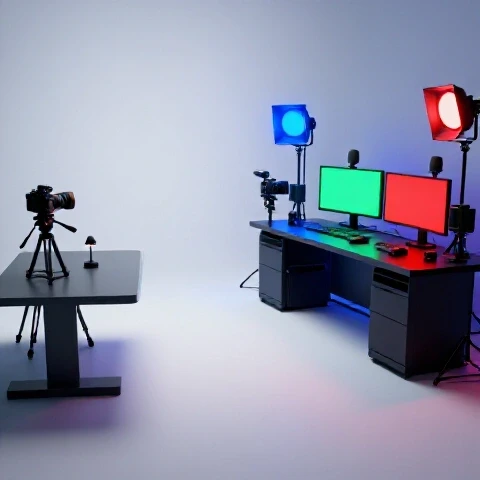
I used to spend 45 minutes just setting up lights and my camera. By the time I was ready to film, I was already tired. I eventually cleared a small corner of my home office and kept my tripod and lights plugged in. I could walk in, flip two switches, and start talking.
This reduced my resistance to filming. If I had an extra 30 minutes, I could knock out a quick video or a few “Shorts.” This efficiency is a core part of my video creation strategies. It’s not about having the best gear; it’s about having the most accessible gear.
- Keep your camera settings saved as a preset.
- Use a dedicated microphone that doesn’t require complex routing.
- Mark your floor with tape so you know exactly where your tripod goes.
- Use a teleprompter or a detailed bulleted list to reduce “umms” and retakes.
Reaching the 50,000 Subscriber Milestone: My Results
The 50,000-subscriber milestone represents a point of critical mass where a channel often begins to generate enough consistent traffic and revenue to support semi-full-time or full-time creation. It is the result of compounding growth and a refined content-audience fit.
When I finally hit 50,000 subscribers, I looked back at my journey. It took me three years of consistent effort. The first 10,000 were the hardest. The jump from 30,000 to 50,000 happened much faster because the “binge-worthy” systems I put in place were finally working at scale. My old videos were still bringing in new subscribers every day because they were part of a larger ecosystem.
My monetization also became more predictable. Instead of relying on “viral” spikes, I had a steady baseline of views. This allowed me to plan my transition toward full-time creation with confidence. I wasn’t guessing anymore; I had three years of data telling me that my system worked.
| Milestone | Time Taken | Key Strategy Used |
|---|---|---|
| 0 – 1,000 | 12 Months | Finding Niche Clarity |
| 1,000 – 10,000 | 14 Months | Retention & Hook Engineering |
| 10,000 – 30,000 | 6 Months | Sequential Loops & Playlists |
| 30,000 – 50,000 | 4 Months | Data-Driven Topic Pivots |
Conclusion and Personalized Next Steps
Building a binge-worthy channel is a marathon, not a sprint. It requires a blend of analytical rigor and empathetic storytelling. By focusing on how your videos connect to one another, rather than how they perform in isolation, you can build a sustainable path to 50,000 subscribers and beyond.
Your next steps should be focused on your own data. Stop looking at what other people are doing and look at your own “Retention” and “Returning Viewer” graphs. Identify your own “Content Pillars” and start building loops between your videos. If you can keep a viewer on your channel for three videos instead of one, you have already won.
Start small. This week, choose one video to “bridge” to another. Next week, audit your first 30 seconds. Over time, these small, data-backed changes will compound into the growth you’ve been working so hard to achieve. You have the tools and the framework; now it’s time to apply them to your unique journey.
FAQ: Building a Binge-Worthy Channel
How do I know if my channel is actually “binge-worthy”?
You can verify this by checking your “Views per Viewer” metric in your analytics. If this number is increasing over time, it means your audience is watching more than one video per session. Another sign is a high “End Screen Click-Through Rate,” which shows that your “bridge” content is successfully leading viewers to the next video.
What should I do if my retention is high but my views are low?
This usually indicates a “packaging” problem. Your content is good (people stay once they click), but your title and thumbnail aren’t convincing enough people to click in the first place. Focus on iterating your thumbnails and testing different title hooks to improve your initial Click-Through Rate (CTR).
How often should I upload to see sustainable growth?
In my experience, consistency matters more than frequency. Whether it is once a week or once every two weeks, the key is to maintain a schedule that prevents burnout. I found that one high-quality, strategically linked video per week performed better than three low-quality, disconnected videos.
Can I build a binge-worthy channel without showing my face?
Yes, I have seen many channels succeed using high-quality B-roll, screen recordings, or animations. The “binge-worthy” factor comes from the structure of the information and the sequential loops you create, not necessarily the presence of a face on camera. The focus should remain on solving the viewer’s problem.
What is the most important metric for long-term growth?
While many focus on subscribers, I prioritize “Returning Viewers.” A high number of returning viewers indicates that you have built a loyal audience that trusts your brand. This loyalty leads to higher watch time and better performance in the recommendation system over the long term.
How do I manage a channel while working a 9-to-5 job?
The key is batching and building a low-friction setup. By dedicating specific blocks of time to scripting, filming, and editing, you reduce the mental load of switching tasks. Keeping your gear ready to go at all times also makes it easier to use small pockets of free time productively.
Should I delete old videos that don’t fit my current niche?
I prefer unlisting over deleting. If a video is still bringing in views but doesn’t fit your “binge-worthy” ecosystem, unlisting it keeps the data intact while cleaning up your channel page. This ensures that new viewers only see content that is relevant to why they subscribed.
How long does it take to see results from a content pivot?
In my case, it took about 60 to 90 days for the algorithm to “re-learn” my new audience profile. During this time, views might dip slightly, but the quality of the viewers (engagement and retention) usually improves immediately if the pivot is backed by your channel’s data.
What is a “Curiosity Gap” and how do I use it?
A curiosity gap is the space between what a viewer knows and what they want to know. You create this by presenting a problem or a mystery early in the video and promising the solution later. I use this to keep viewers engaged through the middle “slump” of a video.
How do I find the right “Next Step” video to link to?
Look at your comments and search data. What is the most common question people ask after watching your video? That question is your next video topic. By answering the “follow-up” question, you create a natural bridge that encourages binge-watching.
(This article was written by one of our staff writers, Michael Hale. Visit our Meet the Team page to learn more about the author and their expertise.)