How to Effectively Manage Remote Video Editors for YouTube (Guide)
The principles of effective management are timeless. Whether you are leading a small team today or a massive corporation decades from now, the core challenge remains the same: how to replicate your vision through the hands of others. Over the last 11 years, I have moved from a solo creator editing until 3:00 AM to an operator running a streamlined media business. The transition is rarely about finding a “unicorn” assistant who reads your mind. Instead, it is about building a system that makes mind-reading unnecessary.
Transitioning from a solopreneur to a business owner requires a shift in identity. You are no longer the person who pushes the buttons; you are the person who designs the machine that pushes the buttons. When I first started delegating my post-production, I feared the loss of my “creative soul.” I worried that a remote team would miss the subtle jokes or the pacing that made my channel unique. What I discovered was that my “creative soul” could actually be codified into a set of repeatable rules. By documenting my preferences and building a structured environment for my team, I didn’t just save time—I actually improved the quality of the final product.

Establishing a Foundation for Scalable Remote Production
A scalable production foundation is the underlying structure of tools and rules that allows a video to move from a raw idea to a finished upload without the creator’s constant intervention. It acts as the “nervous system” of your media business, ensuring information flows correctly between you and your remote team.
When you work alone, your “system” lives entirely in your head. To scale, you must externalize that knowledge. I found that the first step is defining the “Sandbox.” This is the creative boundary within which your team can play. If you don’t define the boundaries, you will spend all your time correcting mistakes that weren’t actually mistakes—they were just different choices.
Solo vs. Team Production Timelines
| Phase | Solo Creator (Hours) | Team-Based Operator (Hours) | Creator Time Saved |
|---|---|---|---|
| Research & Scripting | 6 | 4 (with VA support) | 33% |
| Filming/Recording | 4 | 4 | 0% |
| Initial Assembly & Cut | 8 | 0 (Delegated) | 100% |
| B-Roll & Graphics | 10 | 0 (Delegated) | 100% |
| Sound Design & Color | 4 | 0 (Delegated) | 100% |
| Review & Final Polish | 2 | 1.5 | 25% |
| Total Creator Time | 34 Hours | 9.5 Hours | 72% Reduction |
By looking at these numbers, the goal becomes clear. You aren’t trying to work less; you are trying to work on the right things. Saving 24 hours per video allows you to focus on high-level strategy, sponsorship acquisition, or simply producing more content to grow the brand.
Developing SOPs That Protect Your Creative Voice
Standard Operating Procedures (SOPs) are written documents or videos that explain exactly how to perform a task. In the context of remote video production, they serve as a manual for your brand’s visual and auditory language, ensuring consistency across every upload.
Many creators resist SOPs because they feel “corporate.” However, I’ve found that SOPs are actually the ultimate tool for creative freedom. If your editor knows exactly how you like your lower thirds to look and when to use a specific transition, you don’t have to talk about it ever again. You can use that mental energy for the next big video idea.
The Anatomy of a Video Production SOP
- The Style Guide: This includes your color palette, font choices, and “vibe” descriptions. For example, is your brand “high-energy and chaotic” or “minimalist and professional”?
- The Technical Spec Sheet: List the required export settings, frame rates, and file naming conventions. This prevents the “I can’t open this file” emails.
- The “Never” List: A list of things the editor should never do. For example: “Never use comic sans,” or “Never leave more than 0.5 seconds of dead air.”
- The Asset Library: A central location for all recurring intro animations, music tracks, and sound effects.
SOP Template by Role
- Lead Editor: Responsible for the “A-Roll” (the main story) and the overall pacing. Their SOP focuses on narrative structure and emotional beats.
- Assistant Editor: Handles the “B-Roll” (supporting footage), basic color correction, and syncing audio. Their SOP is technical and process-oriented.
- Motion Designer: Creates custom graphics or templates. Their SOP focuses on brand alignment and visual hierarchy.
Optimizing Remote Workflows for Faster Turnaround
A remote workflow is the sequence of steps a video takes through your team, from the moment you finish filming to the moment the video goes live. Optimizing this process involves removing bottlenecks and ensuring that no one is ever waiting for “the next step” without knowing what it is.
In my experience, the biggest bottleneck is usually the creator. We become the “Review Trap.” If an editor finishes a draft on Tuesday, but you don’t look at it until Friday, you’ve lost three days of momentum. To fix this, I implemented a “Status-Based” workflow. Every project moves through specific stages: In Progress, Internal Review, Revisions, Final Polish, and Ready for Upload.
Delegation Decision Matrix
| Task Complexity | Creative Impact | Action |
|---|---|---|
| Low (Syncing Audio) | Low | Delegate Immediately |
| Medium (B-Roll Selection) | Medium | Delegate with SOP |
| High (Story Pacing) | High | Delegate with Detailed Brief |
| High (On-Camera Talent) | Critical | Keep (The “Solopreneur Core”) |
Building this workflow requires clear hand-off points. When I finish filming, I upload the footage to a specific folder. This triggers a notification to the editor. They don’t need to ask me if I’m done; the system tells them. This reduces the need for constant back-and-forth communication.
Streamlining Communication and Feedback Loops
Communication protocols are the “rules of engagement” for how you and your team talk to each other. A feedback loop is the specific way you provide critiques on a video draft to ensure the next version is better.
The most common mistake I see is “Vague Feedback.” Saying “make it more exciting” is useless to an editor. Instead, I learned to provide time-stamped, actionable notes. For example: “At 02:15, the music is too loud, please drop it by 3db,” or “At 05:40, the transition feels too slow, cut it by 10 frames.”
Effective Feedback Framework
- The “Why”: Explain the reasoning behind a change so the editor can apply that logic to future videos.
- The “What”: Be specific about what needs to change (color, sound, cut point).
- The “Positive”: Always point out what worked well. This reinforces the behavior you want to see more of.
Interestingly, I found that using video-sharing platforms that allow for “on-frame” comments reduced my revision rounds by 50%. Instead of writing a long email, I can click exactly where the problem is and leave a note. This visual context is vital for remote teams who might be working in different time zones.
Technical Infrastructure and File Management
Technical infrastructure refers to the hardware and software used to move massive video files across the world. Effective file management is the organization of these files so that anyone on the team can find what they need in seconds.
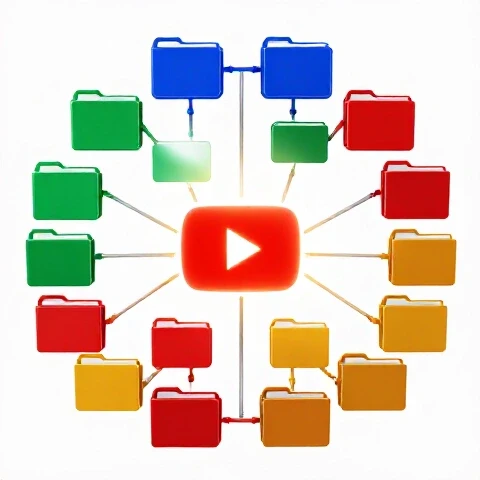
You cannot run a remote media business on a messy Google Drive. I use a standardized folder structure for every single project. It looks like this: * 01_Raw_Footage * 02_Audio * 03_Assets (Gfx, Music) * 04_Project_Files * 05_Exports (Drafts and Finals)
Tools for Remote Collaboration
- Cloud Storage (Dropbox/Google Drive): Essential for syncing project files.
- Frame-Accurate Review Tools: These allow for time-stamped comments directly on the video.
- Proxy Workflows: For teams with slower internet, editors work with low-resolution “proxy” files, then swap them for high-resolution files during the final export.
- Communication Hubs (Slack/Discord): For quick questions and daily check-ins, keeping work conversations out of your personal text messages.
Scaling Quality Control (QC) Systems
Quality Control is the final check before a video is published. As you scale, you cannot be the only person checking for typos, audio glitches, or export errors. You need a system that catches these issues before the video reaches your desk.
I developed a “QC Checklist” that my editors must complete before submitting a draft. If they miss something on the checklist, the draft is sent back immediately. This forces the team to take ownership of the final output.
The Pre-Flight QC Checklist
- [ ] No black frames or “media offline” errors.
- [ ] Audio levels normalized (Dialogue at -3db to -6db).
- [ ] All text overlays are spelled correctly.
- [ ] Color grade is consistent across all clips.
- [ ] End screens and call-to-actions are included.
Creative Control vs. Efficiency Trade-offs
| Level of Control | Efficiency | Best For |
|---|---|---|
| Micro-Management | Very Low | New hires in their first week. |
| SOP-Driven | High | Established channels with a set style. |
| Creative Partnership | Very High | Long-term editors who understand the brand deeply. |
As your relationship with an editor grows, you move from micro-management to creative partnership. This is where the real magic happens. Eventually, your editor will start suggesting improvements that you hadn’t even thought of.
Measuring Success: Metrics for a Growing Media Business
To know if your team is actually helping you scale, you must track specific performance data. Without metrics, you are just “feeling” your way through the business, which is a recipe for burnout.
I track three primary metrics: Turnaround Time, Revision Count, and Creator Bandwidth.
- Turnaround Time: How many days does it take from “Footage Uploaded” to “Final Polish”? A healthy target for a weekly show is 3-4 days.
- Revision Count: How many versions does it take to get to the final? If you are consistently on “Version 5,” your SOPs or your initial briefs are failing. Aim for “Version 2” as the standard.
- Creator Bandwidth: How many hours a week are you spending on production? If this number isn’t going down as you hire more people, you haven’t delegated—you’ve just added more management overhead.
6-24 Month Sustainability Benchmarks
- Month 6: You have a documented SOP and one reliable editor. Your personal production time is cut by 50%.
- Month 12: You have a lead editor and an assistant. You are producing 2x the content with 25% of the effort.
- Month 24: The production machine runs without you. You focus entirely on strategy, high-level creative direction, and business growth.
A Roadmap for the Transitioning Solopreneur
Building a team is not a single event; it is a process of gradual detachment. You start by letting go of the most repetitive tasks and slowly move toward the more creative ones.
- Audit Your Time: Track every minute you spend on a video for one week. Identify the “low-value” tasks that take the most time.
- Build Your First SOP: Choose one task (like syncing audio or finding B-roll) and write down exactly how to do it.
- Hire for the Task, Not the Person: Don’t look for a “Video Editor.” Look for someone who can execute your specific SOP.
- Implement a Review System: Stop using email for feedback. Use a tool that allows for visual, time-stamped notes.
- Iterate and Optimize: Every time a mistake happens, don’t just fix the video—fix the SOP so the mistake never happens again.
The goal is to build a business that serves your life, rather than a job that consumes it. By focusing on systems, communication, and clear technical standards, you can scale your creative output without losing the quality that built your audience in the first place.
Frequently Asked Questions
How do I keep my “style” when someone else is editing? You maintain your style through a “Brand Bible” or Style Guide. This document should list your specific fonts, color hex codes, and even the types of jokes or transitions you like. I also recommend creating a “Reference Library” of your best-edited videos. Tell your new editor, “Make it feel like this one.” When they see the finished product you love, they have a target to aim for.
What is the best way to send large video files to a remote team? For 4K footage, standard cloud drives can be slow. I recommend using a combination of a fast cloud service (like Dropbox) and “Proxy Editing.” You create low-resolution versions of your footage and send those to the editor. They edit the small files, send you the project file, and you (or an assistant) relink the high-resolution footage for the final export. This saves hours of upload and download time.
How many revisions should I allow for each video? I follow the “Three-Round Rule.” Round 1 is for major structural changes (cutting scenes, changing the flow). Round 2 is for “polish” (graphics, music levels, B-roll). Round 3 is the final “sanity check” for typos or minor glitches. If you need more than three rounds, it usually means the initial brief was not clear enough.
How do I know when I’m ready to hire my first editor? You are ready when the “cost” of your time exceeds the cost of the editor. If you can earn $100 an hour doing strategy or sales, but you are spending 10 hours a week doing $25-an-hour editing work, you are effectively losing $750 a week. When your production tasks are the primary thing stopping you from growing your revenue, it’s time to scale.
Should I use a project management tool for my video team? Yes, but keep it simple. You don’t need a complex corporate system. A simple “Kanban Board” (like those found in Notion or Trello) works best. Create columns for “To Do,” “In Progress,” “Review,” and “Done.” This gives you a bird’s-eye view of your entire production pipeline without needing to ask for updates.
How do I handle an editor who keeps making the same mistakes? This is usually a systems failure, not a people failure. Check your SOP. Is the instruction clear? If the SOP is clear and the mistake persists, create a “Mandatory Checklist” they must sign off on before submitting. If the error still happens, it may be a performance issue, but always look at your documentation first.
What if my editor lives in a completely different time zone? Time zones can be an advantage. I’ve found that “Asynchronous Work” allows the business to run 24/7. I can film a video in the afternoon, upload it before I go to bed, and wake up to a finished draft because my editor worked while I slept. The key is having a very clear “Hand-off Protocol” so they have everything they need to work without asking you questions.
How do I give feedback without hurting the editor’s morale? Focus on the “Goal” of the video, not the “Mistake” of the person. Instead of saying “You picked bad music,” say “This music doesn’t match the high-energy vibe we want for this segment. Let’s try something with a faster BPM.” This keeps the conversation professional and focused on the quality of the content.
Can I ever truly step away from the editing process? Yes, but it takes time. It usually takes 3 to 6 months to fully “sync” with a lead editor. During this time, you are teaching them your “brain.” Once they can predict your feedback before you give it, you can transition into a “Creative Director” role where you only review the final 10% of the work.
How do I manage the “Review Trap” when I’m busy? Set a dedicated “Review Block” in your calendar. Instead of checking drafts as they come in, spend one hour every Tuesday and Thursday morning doing nothing but reviewing edits. This prevents the “constant interruptions” that kill your strategic thinking time.
(This article was written by one of our staff writers, Christopher Lang. Visit our Meet the Team page to learn more about the author and their expertise.)