YouTube Creator Onboarding Document for Teams (Template Guide)
Starting with a pop of color—the first time I hired a video editor, I thought my “creative vision” was too special to be written down. I spent eleven years learning that this mindset is exactly what keeps creators stuck at the solo level. When I finally sat down to map out my internal production systems, I realized that my channel’s growth wasn’t limited by my talent, but by the lack of a clear orientation guide for my team.
Transitioning from a solo creator to a media business operator requires a shift in how you view your work. You are no longer just the person on camera or the person cutting the clips. You are the architect of a system. A master orientation document serves as the foundation for this system. It ensures that every new hire, from designers to assistants, understands your brand voice, technical requirements, and strategic goals without you having to repeat yourself every single day.
Why a Centralized Team Orientation Guide is Your Only Path to Freedom
A centralized orientation guide is a living document that houses every technical and creative standard for your YouTube channel. It defines your audience, your editing style, and your communication protocols. By documenting these details, you move the “brain” of your business out of your head and into a format that others can use to produce high-quality results independently.
When you reach your limit of time and energy, the natural instinct is to hire help. However, hiring without a structured orientation process often leads to more work, not less. I have seen many creators hire talented editors only to fire them three weeks later because the “vibe” wasn’t right. The problem usually isn’t the editor’s skill. The problem is that the creator didn’t provide a blueprint for what a successful video looks like for their specific brand.
A solid orientation manual solves this by providing:
- A clear definition of the channel’s target audience and their pain points.
- Visual style guides including fonts, color palettes, and pacing.
- Technical specifications for file management and delivery.
- Communication expectations to prevent endless back-and-forth messaging.
Building the Essential Pillars of a Scalable YouTube Production Workflow
A scalable workflow is a sequence of repeatable steps that allow a video to move from an idea to a published upload with minimal friction. It breaks down the complex process of video creation into smaller, manageable tasks that can be assigned to different team members. This structure allows you to focus on high-level strategy while the team handles the heavy lifting.
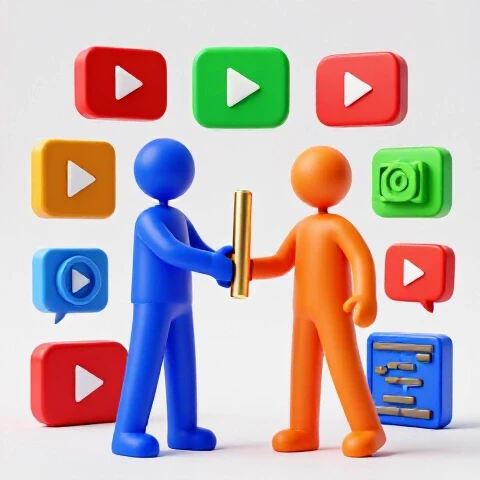
In my experience, the biggest bottleneck for scaling creators is the lack of a “hand-off” point. You might film a video but then get stuck in the editing phase because you haven’t defined how to pass the footage to someone else. A professional orientation document outlines exactly where the raw files live, how they should be named, and what the editor should do once they receive them.
Below is a comparison of how production timelines shift when moving from a solo operation to a team-based system using a structured orientation framework.
| Production Stage | Solo Creator Time (Hours) | Team-Based Time (Creator Hours) | Team-Based Time (Staff Hours) |
|---|---|---|---|
| Research & Scripting | 10 | 6 | 4 (Assistant) |
| Filming/Recording | 4 | 4 | 0 |
| Video Editing | 25 | 1 | 24 (Editor) |
| Thumbnail & Title | 5 | 0.5 | 4.5 (Designer) |
| Upload & Metadata | 2 | 0 | 2 (Assistant) |
| Total Creator Hours | 46 Hours | 11.5 Hours | 34.5 Hours |
By implementing a master orientation guide, you can reduce your personal involvement by over 75% per video. This reclaimed time is what allows you to think about new revenue streams, brand deals, or simply taking a weekend off.
How to Delegate Video Editing Without Sacrificing Your Channel’s Voice
Delegating YouTube editing is often the scariest step for a solopreneur because the edit defines the “soul” of the content. To maintain your voice, your orientation document must include an “Editing Style Guide” that covers pacing, music selection, and text overlays. This ensures the final product feels like your work, even if you didn’t touch the timeline.
I once hired an editor who was technically brilliant but didn’t understand the “breath” of my videos. They cut out every pause, making me sound like a robot. I realized I hadn’t documented my preference for natural pacing. Once I added a section to my orientation guide about “The Five-Second Rule” (never go five seconds without a visual change, but allow for natural speech pauses), the quality of the first drafts improved immediately.
When creating your editing SOPs, focus on these three areas:
- The Hook Structure: Define exactly how the first 30 seconds should look and feel to maximize retention.
- B-Roll Logic: Explain when to show the creator on screen versus when to cut to supporting footage or graphics.
- Audio Standards: Set clear rules for background music volume levels and sound effect usage.
Creating Systematic Thumbnail Briefs for Higher Click-Through Rates
Thumbnails are the “packaging” of your video business, and they require a specific set of instructions to be successful. A systematic design brief within your orientation document tells your designer what the emotional hook of the video is and which visual elements are non-negotiable. This prevents the “I’ll know it when I see it” trap that frustrates designers.
A common mistake is asking a designer to “make a cool thumbnail.” Instead, your orientation guide should provide a template for every design request. This template should include the primary text, the central “hero” image, and the specific emotion you want the viewer to feel.
Use this decision matrix to determine which design tasks to delegate first:
| Task Type | Complexity | Impact on Growth | Delegation Priority |
|---|---|---|---|
| Core Concept/Story | High | Very High | Low (Keep this) |
| Color Grading/Masking | Medium | Medium | High (Delegate) |
| Asset Sourcing | Low | Medium | High (Delegate) |
| Text Layout/Typography | Medium | High | Medium (Delegate) |
By delegating the technical side of design, you can spend your energy on the “Big Idea” that actually drives the clicks.
Quality Assurance and Feedback Loops: Maintaining Excellence at Scale
Quality assurance (QA) is the process of checking work against your established standards before it goes live. Without a QA system, you will find yourself micro-managing your team or, worse, publishing sub-par content. Your orientation guide should include a “Final Checklist” for every role to complete before they submit their work.
In my business, I used to get frustrated when editors forgot to add end screens or missed a typo in a lower-third graphic. I realized I was the one at fault for not providing a checklist. Now, every editor must check off a 10-point list before I even look at the first draft. This saves me hours of pointing out small mistakes and allows me to focus on the overall story.
A successful feedback loop looks like this:
- Submission: The team member submits work based on the orientation guide.
- Review: You (or a lead editor) review the work against the checklist.
- Correction: The team member makes adjustments based on specific, timestamped feedback.
- Documentation: If a new mistake happens, you update the orientation guide to prevent it from happening again.
The Financial Reality of Transitioning to a Media Business Model
Scaling a YouTube team is an investment that requires a clear understanding of your numbers. Many creators fear that hiring will eat all their profits. However, when you look at the output volume multiplier, the math usually favors the team. If you can produce two high-quality videos a week instead of one every two weeks, your revenue potential scales much faster than your costs.
When I first started hiring, I tracked the “Cost Per Video” versus the “Revenue Per Video.” Initially, my margins shrank. But as the team became more efficient through the orientation systems, the time I saved allowed me to secure more brand sponsorships. Within six months, my revenue had tripled, while my work hours had stayed the same.
Consider these benchmarks for a scaling creator:
- Phase 1 (Solo): $0-$2k/mo revenue. 60 hours/week.
- Phase 2 (First Hire): $2k-$5k/mo revenue. 40 hours/week. (Cost: $500-$1,500/mo).
- Phase 3 (Small Team): $5k-$15k/mo revenue. 20 hours/week. (Cost: $2,000-$4,000/mo).
The goal of your orientation document is to move you from Phase 2 to Phase 3 as quickly as possible by making your team self-sufficient.
Case Study: From Overwhelmed Soloist to Efficient Manager
I worked with a creator in the educational niche who was burned out. He was doing everything: research, filming, editing, and promotion. He was making $8,000 a month but had zero free time. We spent two weeks building out a master production handbook that detailed his specific teaching style and editing preferences.
Before Implementation: – 1 video every 10 days. – 55 hours spent per video. – Constant stress about deadlines.
After Implementation: – 2 videos per week. – 8 hours spent by the creator per video. – Revenue increased to $14,000/mo within four months.
By documenting his “secret sauce,” he was able to hire an editor and a research assistant. The orientation guide ensured the quality didn’t drop, and the increased frequency of uploads signaled to the algorithm that the channel was more active.
Actionable Steps to Build Your Own Team Orientation Framework
You don’t need to build a 100-page manual overnight. Start with the most repetitive tasks and build from there. The key is to be consistent and to treat your orientation guide as a “product” that you are constantly improving.
- Audit Your Week: Write down every task you do for seven days. Circle the ones that don’t require your specific “face” or “voice” to execute.
- Record Your Process: Use screen recording software to film yourself doing those tasks. Narrate why you are making certain choices.
- Create the Document: Use a centralized workspace tool to organize these recordings and written instructions.
- Hire for One Role: Start with a part-time editor or a thumbnail designer. Give them the guide and ask them to follow it strictly.
- Refine Based on Questions: If your new hire asks a question, the answer should go into the orientation guide. This ensures you never have to answer that question again.
Building a team is not about giving up control; it is about gaining leverage. With a clear orientation framework, you can ensure your channel continues to grow even when you aren’t the one clicking the buttons.
Frequently Asked Questions
How long should a team orientation document be for a new YouTube hire? It should be long enough to be clear but short enough to be readable. A good starting point is 5 to 10 pages, or a series of short videos. Focus on the “Must-Knows” first, such as brand colors, pacing rules, and file naming. You can always add more detail as the team grows.
What is the best way to handle feedback if the editor misses the mark? Always refer back to the orientation guide. Instead of saying “I don’t like this,” say “In section 3 of our guide, we mentioned that transitions should be under 0.5 seconds. Please adjust these to match.” This keeps the feedback objective and professional rather than personal.
How do I prevent my editor from stealing my footage or ideas? While you can’t prevent everything, a professional orientation process sets a tone of serious business. Use standard non-disclosure agreements (NDAs) and keep your raw footage on a secure cloud storage system where you control the access levels. Most professional freelancers value their reputation more than a single video’s raw files.
Should I hire a general virtual assistant or a specialized video editor first? If you are spending more than 15 hours a week editing, hire an editor first. Editing is usually the biggest time-sink for creators. If your time is mostly taken up by emails, research, and scheduling, a general assistant might be a better first move.
How do I know if my orientation guide is actually working? The best metric is the “Question Count.” If a new hire can produce a 90% finished product with fewer than three clarifying questions, your guide is excellent. If they are constantly asking for direction, your documentation needs more detail.
What if my “style” changes over time? Your orientation document is a living thing. Whenever you decide to try a new editing style or a different thumbnail layout, update the guide immediately. I recommend doing a “Systems Review” once every three months to ensure your documentation matches your current creative direction.
How do I manage a team across different time zones? This is where your orientation guide becomes even more critical. Clear, written instructions allow for “asynchronous work.” This means your team can move the project forward while you are asleep because they don’t need to wait for you to wake up and answer a question.
Can I use AI to help create my orientation SOPs? Yes. You can record yourself talking through a process and use AI tools to transcribe and summarize those thoughts into a structured format. This is a great way to get your “brain dump” onto paper quickly without having to write everything from scratch.
How much should I expect to pay for a high-quality editor who follows my systems? Rates vary wildly based on experience and location. However, a reliable YouTube editor who can follow a detailed orientation guide typically costs between $250 and $800 per video. Remember, you aren’t just paying for the edit; you are paying for the time you get back to grow your business.
What is the biggest mistake creators make when onboarding a team? The biggest mistake is assuming the team can read your mind. Creators often get frustrated when a hire doesn’t “just get it.” Without a written orientation guide, you are setting your team up to fail. Clarity is kindness in a business environment.
(This article was written by one of our staff writers, Christopher Lang. Visit our Meet the Team page to learn more about the author and their expertise.)