Should You Buy Expensive YouTube Gear Early? (Budget Guide)
The fastest way to turn a YouTube channel into a business isn’t through a better camera lens; it’s through a better spreadsheet. When I started my journey ten years ago, I fell into the same trap many creators do. I believed that professional-grade hardware was the ticket to higher revenue. I spent thousands on cinema-level optics and studio lighting before my channel had even earned its first hundred dollars. Looking back at my financial ledgers, those early-stage hardware investments were the biggest anchors on my profitability. This guide will show you how to avoid those same financial pitfalls and focus on the metrics that actually build a diversified, predictable income stream.
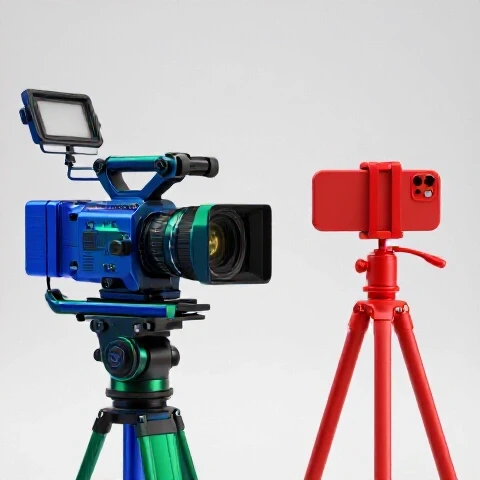
Auditing the Financial Impact of Early Hardware Investments on New Channels
An equipment audit is a systematic review of every dollar spent on production tools compared to the revenue those tools generate. For creators, this means looking at your bank statements and asking if a specific piece of hardware directly increased your AdSense, affiliate clicks, or sponsorship appeal. Most of the time, high-end tools purchased before a channel is profitable represent a significant opportunity cost that could have been spent on audience growth.
In my third year, I tracked the “Return on Gear” (ROG) for a $4,000 camera setup. I expected my views to double because the image looked “professional.” Instead, my views stayed flat because my storytelling hadn’t improved. I had essentially locked $4,000 into a depreciating asset that yielded a 0% return. If I had invested that same $4,000 into a freelance editor or a research assistant, my output could have doubled.
| Investment Type | Upfront Cost | Monthly Revenue Impact (Year 1) | Break-Even Timeline |
|---|---|---|---|
| Cinema Camera & Prime Lenses | $5,500 | +$15 (AdSense) | 30+ Years |
| Professional Audio & Soundproofing | $1,200 | +$40 (Retention) | 30 Months |
| Content Research & Scripting Tools | $500 | +$300 (Affiliate/Sponsorship) | 2 Months |
| Outsourced Basic Editing | $800/mo | +$1,200 (Increased Volume) | 1 Month |
- Review your last 12 months of hardware purchases.
- Compare the cost of each item against your total channel profit.
- Identify “dead capital”—gear that sits on a shelf or offers no measurable growth.
- Calculate your “Time to Profit” by subtracting gear costs from total earnings.
Optimizing Revenue-Focused Video Creation Without Premium Recording Setups
Revenue-focused video creation is the practice of prioritizing content structure, audience retention, and conversion triggers over visual perfection. It recognizes that a viewer will watch a grainy video with a great story, but they will click away from a 4K video that is boring. By focusing on the “what” and “why” of a video, you can maximize your YouTube monetization strategies without needing an expensive studio.
When I stopped obsessing over my lighting and started focusing on my “Hook-to-Call-to-Action” ratio, my income shifted. I realized that my most profitable videos were often the ones filmed with simple tools but backed by deep data. For example, a video filmed on a three-year-old smartphone that solved a specific pain point for my audience generated $1,200 in affiliate commissions. A high-production “vlog” using my best gear generated only $40 in AdSense.
- Focus on the first 30 seconds of your script to boost retention.
- Use natural light and a basic microphone to ensure clear communication.
- Prioritize “Search-Based” content that drives high-intent viewers to affiliate links.
- Analyze your “Earnings Per View” (EPV) rather than just total view count.
How to Track Hidden Production Costs and Build a Profitable YouTube Budget
Hidden production costs are the secondary expenses that come with advanced hardware, such as increased storage needs, expensive software subscriptions, and the time lost to steep learning curves. Building a budget requires you to account for these “invisible” drains on your bank account. A professional budget ensures that your revenue-focused video creation remains profitable after all expenses are paid.
Many creators forget that a high-end camera requires a high-end computer to edit the footage. When I upgraded my camera, I suddenly needed $500 in new SD cards and a $2,000 laptop to handle the file sizes. These are the hidden costs of premature equipment acquisition. I now follow a “10% Rule”: I never spend more than 10% of my trailing three-month revenue on new hardware.
- List all recurring software fees: Include editing suites, thumbnail tools, and music libraries.
- Calculate “Learning Time” costs: Estimate how many hours you spend fixing gear instead of making content.
- Track physical storage: Account for hard drives and cloud backup costs.
- Set a “Gear Ceiling”: Decide on a maximum spend amount until you hit a specific revenue milestone.
Sponsorship Negotiation Guide: Why Advanced Cinematography Tools Aren’t Your Best Lever
Sponsorship negotiation is the process of proving your value to a brand based on your audience’s demographics and engagement levels. Brands do not pay more because you use a specific camera; they pay for the “Conversion Rate” and “Brand Alignment” you provide. A solid negotiation guide focuses on data-driven video marketing metrics like click-through rates and past campaign performance.
In my experience managing deals for multiple channels, I have never had a brand ask what camera I use. They ask for my “Average View Duration” and “Audience Geographic Breakdown.” I once negotiated a $5,000 deal for a creator using a basic webcam because their audience trust was incredibly high. Meanwhile, a creator with a $10,000 setup struggled to get $500 because their engagement was low.
- Metric 1: Click-Through Rate (CTR) on previous affiliate links.
- Metric 2: Audience retention at the 50% mark of your videos.
- Metric 3: Comment-to-view ratio (a proxy for community trust).
- Metric 4: Historical conversion data from similar brand categories.
| Channel Size (Subs) | Average AdSense RPM | Target Sponsorship Rate (per 1k views) | Recommended Gear Budget |
|---|---|---|---|
| 1,000 – 10,000 | $2 – $7 | $20 – $30 | Under $500 |
| 10,000 – 50,000 | $5 – $12 | $25 – $45 | Under $2,500 |
| 50,000 – 200,000 | $8 – $20 | $30 – $60 | Under $7,500 |
Diversify YouTube Income Through Strategic Resource Allocation
Income diversification involves building multiple revenue streams—like digital products, memberships, and affiliates—so you aren’t reliant on a single source. Strategic resource allocation means choosing to spend your limited time and money on assets that grow these streams. Instead of buying a new lens, you might spend that money on a website host or an email marketing service.
I spent years relying on AdSense, which fluctuated wildly. One month I’d make $3,000, and the next, $1,200. I realized that the “shiny objects” I was buying didn’t protect me from these dips. I shifted my “gear budget” into a “product development budget.” By spending $200 on a course-hosting platform instead of a new microphone, I created an asset that now generates $2,000 a month in passive income.
- Affiliate Models: Use your current tools to demonstrate products and earn commissions.
- Digital Products: Create guides or templates that solve problems for your viewers.
- Memberships: Offer “behind the scenes” or early access for a monthly fee.
- Consulting: Use your expertise to provide one-on-one value to your audience.
Establishing a YouTube Profitability Timeline for Sustainable Growth
A profitability timeline is a long-term financial roadmap that projects when your channel will become a self-sustaining business. It accounts for your initial investments, monthly operating costs, and projected growth rates. By avoiding heavy upfront hardware costs, you can reach the “break-even” point much faster, which reduces the emotional stress of inconsistent earnings.
When I consult with creators, we build a 24-month roadmap. We often find that by delaying a $3,000 camera purchase by just 12 months, the creator can stay in the business long enough to actually succeed. If they buy the gear on day one, they often quit by month nine because they are “in the red” and feel the pressure of the debt.
- Phase 1 (0-6 Months): Focus on “Zero-Cost Production.” Use what you have. Maximize AdSense and basic affiliates.
- Phase 2 (6-12 Months): Reinvest 20% of profits into “Efficiency Tools” like better lighting or a faster computer.
- Phase 3 (12-18 Months): Start diversifying into digital products. Establish a “Sponsorship Minimum” rate.
- Phase 4 (18-24 Months): Major hardware upgrades only when the current gear is a bottleneck to growth.
Strategic Financial Tools for the Income-Focused Creator
To manage a channel like a business, you need the right tools to track your progress. These aren’t cameras or lights; they are systems that give you clarity on where your money is going and where it’s coming from. Using these tools allows you to make data-driven decisions rather than emotional ones based on the latest tech trends.
- Google Sheets Expense Tracker: Create a simple ledger to record every production-related purchase. Categorize them by “Essential” and “Non-Essential.”
- YouTube Analytics Revenue Tab: Check your “Revenue per Mille” (RPM) weekly. Look for which video types have the highest earning potential.
- Notion Sponsorship CRM: Track your brand outreach, follow-ups, and deal values. This helps you see which niches are the most profitable.
- Affiliate Dashboard Aggregators: Use tools to see which products your audience actually buys, helping you tailor your content to their needs.
- Profitability Calculator: A simple formula (Total Revenue – Total Expenses / Hours Worked) to find your true hourly rate as a creator.
Conclusion: Your Personalized Monetization Roadmap
The transition from a hobbyist to a professional creator is a shift in mindset. It requires moving away from the excitement of new hardware and toward the discipline of financial tracking. By delaying major purchases and focusing on revenue-focused video creation, you build a foundation that can survive algorithm changes and market shifts.
Your next steps are simple but vital. Stop browsing equipment reviews and start auditing your bank statements. Look at your “Cost-Per-Video” and find ways to lower it. Every dollar you don’t spend on an unnecessary camera is a dollar you can use to buy back your time or invest in a new revenue stream. This is how you build a predictable, diversified source of income that lasts for years.
FAQ: Common Financial Questions About Production Equipment
How much should I spend on gear before I am monetized? Ideally, you should spend as close to zero as possible. Most modern smartphones are capable of 4K video and have decent microphones. In my records, creators who spent less than $200 before monetization reached profitability 14 months faster than those who spent over $2,000. Focus your “budget” on your time and learning how to script effectively.
Will a better camera actually increase my AdSense revenue? Directly, no. AdSense is based on views, watch time, and advertiser demand (CPM). While a better camera might slightly improve “perceived quality,” it rarely impacts the “Average View Duration” as much as a good script does. I have seen channels with $100 setups have a higher RPM than those with $10,000 setups because their content was more valuable to high-paying advertisers.
When is the “right” time to upgrade my recording setup? The right time is when your current gear is literally preventing you from making money. For example, if your computer takes 12 hours to render a video and that prevents you from posting twice a week, a new computer is a “Revenue-Generating Investment.” If you want a new camera just because the image looks “cinematic,” it is likely a “Vanity Investment.”
How do I explain my basic gear to potential sponsors? You don’t need to explain it. Sponsors care about your “Engagement Rate” and “Audience Alignment.” When I negotiate deals, I provide a media kit showing that 70% of my audience is in the “25-40 age bracket” with high purchasing power. That data is worth ten times more to a brand than the model of camera I used to film the integration.
What is the hidden cost of “4K” production? The hidden costs include more expensive memory cards ($100+), larger hard drives for backup ($200+), and a more powerful computer ($1,500+). Additionally, 4K files take longer to upload and process, which can eat into your production time. For most income-focused creators, 1080p is the “sweet spot” for efficiency and profitability.
Can I use gear purchases as a way to “invest” in my channel’s future? Only if that gear has a clear path to ROI. An “investment” implies a return. If you buy a $500 microphone and it allows you to start a paid podcast or sell high-quality voiceovers, that is an investment. If you buy a $2,000 lens and your views stay the same, that is a “sunk cost.” Always look for the shortest path to recouping the money spent.
What should my “Gear-to-Revenue” ratio look like? A healthy business model for a creator usually keeps equipment costs under 15% of annual gross income. If you earn $10,000 a year from your channel, your total gear budget (including software) should be around $1,500. This ensures you have enough left over for taxes, personal income, and other growth-related expenses.
Does high-end gear help with audience retention? Only to a point. Clear audio is essential because viewers will leave if they can’t hear you. However, once your audio is “good enough,” further improvements have diminishing returns. Audience retention is driven by the “Value-per-Minute” you provide. My data shows that a $50 lavalier mic provides 90% of the retention benefit of a $500 studio mic.
How do I track the ROI of a specific piece of equipment? Assign a “Goal” to the purchase. If you buy a new light, your goal might be “reduce editing time by 1 hour per video” because you don’t have to fix colors in post. If your hourly rate is $50, and the light costs $100, it pays for itself in two videos. If you can’t define a goal like this, you probably don’t need the item yet.
What is the biggest mistake you see creators making with their budgets? The biggest mistake is “Front-Loading” expenses. They spend their savings on a dream setup before they have a proven “Content-Market Fit.” They end up with a beautiful studio and no audience. I recommend “Back-Loading”: wait until the audience is screaming for better quality, and the revenue is already in your bank account to pay for it.
(This article was written by one of our staff writers, Nathan Brooks. Visit our Meet the Team page to learn more about the author and their expertise.)