How Implementing Systems Improves YouTube Content Quality (Guide)
The luxury of a well-run business is not found in the revenue it generates, but in the silence of a production machine that operates without your constant intervention. For over a decade, I have moved from the frantic pace of a solo creator to the structured role of a media business operator. The most significant shift in this journey was the realization that high-level output is not the result of individual genius, but the byproduct of rigorous operational frameworks. When you stop treating every video as a unique emergency and start treating it as a repeatable process, the caliber of the final product naturally rises.
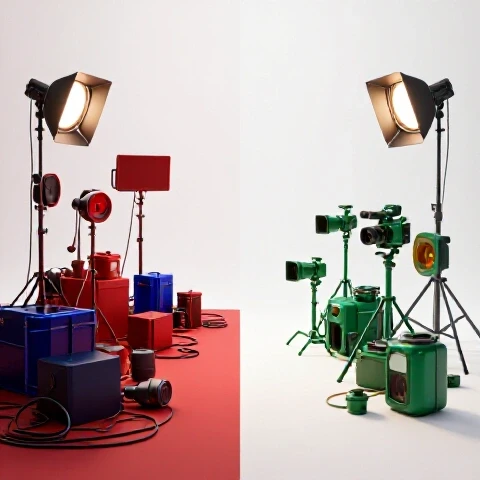
Transforming Creative Chaos into Operational Excellence
Operational excellence in video production is the implementation of repeatable blueprints that ensure every piece of content meets a high standard without the creator being involved in every micro-decision. It moves the focus from “doing the work” to “refining the process.”
When I first started scaling, I believed that my personal touch was the only thing keeping the quality high. I was wrong. In reality, my exhaustion was creating bottlenecks and leading to sloppy mistakes. By shifting to a system-first approach, I was able to define what “quality” actually meant in measurable terms. Instead of “making a good video,” the goal became “hitting a 55% retention rate at the three-minute mark” or “ensuring no more than two grammatical errors per script.”
This transition requires a mental shift. You are no longer just a person who makes videos; you are building a factory that produces media. The factory needs clear instructions, quality checkpoints, and specialized roles to function. Without these, you are simply a freelancer with a few assistants, and your quality will always be capped by your own personal bandwidth.
Building a Team-Based Production Workflow
A team-based production workflow is a structured sequence of tasks distributed across specialists to maximize output quality and speed. It replaces the “everything at once” solo method with a linear, predictable path from idea to upload.
The primary benefit of a team-based workflow is the ability to apply specialized focus to each stage of production. When a solo creator edits, they are often tired from filming and rushing to meet a deadline. When a dedicated editor follows a standardized workflow, they focus solely on pacing, rhythm, and visual storytelling. This specialization is why the final product often looks and feels more professional once the creator steps back.
| Production Metric | Solo Creator Approach | Systematized Team Approach |
|---|---|---|
| Average Production Time | 45-60 hours per video | 12-15 hours of creator time |
| Error Rate (Typos/Cuts) | High (due to fatigue) | Low (due to QA checklists) |
| Audience Retention | Inconsistent | Stable (due to retention SOPs) |
| Output Capacity | 1 video per week | 3-5 videos per week |
| Creative Focus | 10% Strategy / 90% Tasks | 80% Strategy / 20% Review |
To build this, you must break your production into distinct phases: pre-production (research and scripting), production (filming), and post-production (editing, graphics, and quality assurance). Each phase needs a “handoff” point where one person’s work is verified before the next person begins. This prevents small errors in the script from becoming expensive mistakes in the final edit.
Creating SOPs for High-Retention Video Editing
Standard Operating Procedures (SOPs) for editing are the visual and technical guidelines that define the pacing, rhythm, and visual language of your channel. They allow an external hire to replicate your style with mathematical precision.
Many creators fear that hiring an editor will “dilute” their brand. This only happens if you fail to document your creative DNA. An editing SOP should not just say “make it fast-paced.” It should specify that “no shot should last longer than three seconds without a zoom, text overlay, or B-roll transition.” By quantifying your style, you provide a roadmap that an editor can follow to achieve the exact look you want.
- Pacing Guidelines: Define the frequency of cuts and the use of “J-cuts” or “L-cuts” to maintain audio flow.
- Visual Hierarchy: Establish specific fonts, colors, and placement for on-screen text to ensure brand consistency.
- Sound Design Rubric: Create a list of approved music genres and sound effect triggers (e.g., a “whoosh” for every transition).
- Retention Triggers: Identify specific moments in the script that require high-energy visual support to prevent viewer drop-off.
When these rules are documented, the editor isn’t guessing what you like. They are executing a proven formula. This reduces the number of revision rounds from five or six down to one or two, saving time and maintaining a positive relationship with your team.
The Role of Standardized Scripting in Content Consistency
Standardized scripting is a template-driven approach to writing that ensures the core message of every video remains clear, engaging, and aligned with audience expectations. It removes the “blank page” syndrome and replaces it with a structural framework.
A common pitfall for scaling creators is a lack of structural discipline in their writing. Without a system, scripts often meander, leading to lower retention. A standardized script template forces you to address the “hook,” the “value proposition,” and the “re-engagement points” at specific intervals.
- The Hook Framework: A dedicated section to craft the first 30 seconds, focusing on a specific problem or curiosity gap.
- The Value Pillars: A requirement to list three to five key takeaways that the viewer will gain, ensuring the content is substantive.
- The Retention Checkpoint: A mid-script prompt to introduce a new visual element or a “coming up” teaser to keep viewers watching.
- The Call to Action (CTA) System: A standardized way to transition into sponsorships or channel subscriptions without disrupting the viewer experience.
By using these templates, you ensure that even if you delegate the initial research or drafting to a writer, the structural integrity of the video remains high. The “quality” of the content is baked into the template itself, rather than relying on a stroke of inspiration every Tuesday morning.
Implementing Multi-Stage Review Systems for Quality Control
A multi-stage review system is an iterative feedback loop where work is checked against a specific rubric before final approval. This ensures that the creator is the final gatekeeper of quality without being involved in the messy middle of production.
Quality often drops when there is only one check at the very end of the process. If the editor finishes the entire video and then shows it to you, you might find a foundational error that requires a complete re-edit. A systematic review process catches these issues early.
- The Script Review: Check for tone, accuracy, and flow before any filming begins.
- The Rough Cut Review: Focus on pacing and structure. This is the time to remove fluff or re-order segments.
- The Fine Cut Review: Focus on the “polish”—color grading, sound levels, and motion graphics.
- The Final QA Checklist: A 10-point inspection covering everything from subtitle accuracy to export settings.
In my experience, moving to a multi-stage review reduced our total production time by 20% because it eliminated the need for “emergency” fixes on upload day. It also empowers the team because they know exactly what criteria they are being judged against. They can self-correct before the work even reaches your desk.
Decision Matrix for Delegating Video Tasks
A delegation decision matrix is a tool used to determine which tasks should be offloaded to a team and which should remain with the creator based on complexity and brand impact.
| Task Category | Complexity | Brand Impact | Action |
|---|---|---|---|
| Basic Video Cutting | Low | Low | Delegate to Junior Editor |
| Sound Design/Color | Medium | Medium | Delegate to Specialist |
| Research/Fact-Checking | Medium | High | Delegate to VA/Researcher |
| Scripting/Storytelling | High | High | Collaborate/Retain |
| On-Camera Performance | High | Extreme | Retain (Usually) |
As you scale, your goal is to move up the “value chain.” You should spend less time on low-complexity, low-impact tasks (like file management or basic cuts) and more time on high-impact tasks (like story structure and brand strategy). This transition is what allows a media business to grow. If you are still naming files and syncing audio after 11 years, you aren’t an operator; you are a technician.
Financial Realities of Transitioning to a Media Business
Managing the financial scaling of a media business involves balancing the cost of labor against the increase in production value and volume. It is a shift from viewing team costs as an “expense” to viewing them as an “investment in capacity.”
When you hire your first editor, your profit margins might temporarily dip. However, the goal is to use the time you’ve reclaimed to produce more content or higher-value content that attracts better sponsorships. I have tracked these metrics across multiple channels, and the “break-even” point for a new hire typically occurs within three to six months, provided the systems are in place to utilize their time effectively.
- Cost-per-video: Track how much you pay in labor for each finished minute of content.
- Production Volume Multiplier: Measure how many more videos you can produce per month with a team vs. solo.
- Team ROI Timeline: The duration it takes for the increased output to cover the cost of the new team members.
- Capacity Buffer: The amount of “extra” work the team can handle before you need to hire again.
By monitoring these numbers, you can scale your team with confidence. You aren’t just guessing if you can afford an assistant; you are looking at the data to see if your current system has the capacity to support one.
Operational Tools and Workflow Integration
Building a media business requires a central “source of truth” where all SOPs, tasks, and communication live. This prevents information from being lost in email threads or chat messages.
- Project Management Platforms: Use these to track the status of every video. Each video should be a “card” or “task” that moves through columns like “Scripting,” “Filming,” “Editing,” and “Ready for Review.”
- Cloud-Based Storage Systems: Organize your assets (B-roll, music, project files) in a standardized folder structure so any team member can find what they need without asking you.
- Communication Protocols: Set clear rules for where and when team members should communicate. Avoid “urgent” messages for non-urgent tasks to prevent burnout.
- Feedback Tools: Use specialized platforms that allow you to leave time-stamped comments directly on video files. This makes the review process much faster for the editor.
The goal of these tools is to reduce “friction.” The less time your team spends looking for files or waiting for your reply, the more time they spend improving the quality of the content.
Action Plan for Transitioning to a System-First Model
To move from an overwhelmed solo creator to a structured media business operator, follow these steps:
- Audit Your Time: For one week, track every task you do. Identify which tasks are “technician” work and which are “operator” work.
- Document One Process: Start with your simplest task (e.g., uploading a video). Write down every single step. This is your first SOP.
- Hire for the Bottleneck: Identify the one task that takes you the most time and produces the most stress. Hire a specialist for that specific role first.
- Implement a Review Loop: Before your next video goes live, create a 5-point checklist to verify the quality. Use this checklist for every video moving forward.
- Review Monthly Metrics: Look at your retention data and production costs. Adjust your SOPs based on what the data tells you about viewer behavior.
By following this roadmap, you aren’t just making videos faster; you are building a sustainable business that can produce high-quality content consistently, regardless of your personal energy levels.
Frequently Asked Questions
How do I know if my systems are actually improving my content? The most reliable indicators are audience retention graphs and the “error rate” per video. If your retention stays stable or increases while you are spending 70% less time on the edit, the system is working. Additionally, look at the number of “revisions” needed. A good system should result in a “final” cut that requires only minor tweaks.
Will my audience notice a change if I stop doing everything myself? If your SOPs are detailed enough, the audience should notice an improvement, not a decline. They will see more consistent branding, better pacing, and more frequent uploads. The “voice” of the channel comes from the script and the strategy, which you still control.
How do I create SOPs when I’m already too busy to breathe? Don’t try to document everything at once. Use a screen-recording tool to record yourself doing a task (like color grading or thumbnail design). Send that recording to a virtual assistant and ask them to write the step-by-step guide based on the video. This creates the SOP without adding to your writing workload.
What is the biggest mistake creators make when building a team? The biggest mistake is hiring before you have a process. If you hire an editor but don’t tell them how you want your videos to look, they will guess. When they guess wrong, you will get frustrated and think “it’s just easier to do it myself.” The failure isn’t the hire; it’s the lack of a system.
How much should I expect to spend on a production team? This varies wildly based on location and skill level. However, a common benchmark is to allocate 20% to 35% of your gross revenue toward production labor. As your systems become more efficient, your “cost-per-video” should decrease even if you are paying your team more, because they will be able to produce more in less time.
How do I maintain creative control without micromanaging? Control is maintained through the “Review System.” You set the standards in the SOP and you verify them during the review stages. Micromanaging is telling someone how to click the mouse. Leadership is telling someone what the final result must look like and giving them the tools to get there.
Can a team really replicate my “editing style”? Yes. Editing is a combination of timing, selection, and visual cues. All of these can be quantified. For example, you can specify that you like “zooms on every punchline” or “no music during serious segments.” Once these rules are documented, a skilled editor can replicate them with 95% accuracy.
What should I do if a team member keeps making the same mistake? Don’t just fix the mistake yourself. Update the SOP or the QA checklist to specifically address that error. If the mistake happens again, it’s a training or personnel issue. If it doesn’t, the system has successfully “automated” that quality check.
How long does it take to see the benefits of these systems? You will feel the “time relief” almost immediately after a successful hire. However, the measurable “quality floor” usually stabilizes after about four to six videos with a new team. This is the “calibration period” where you refine your SOPs based on real-world feedback.
Is it possible to scale without losing the “personal touch”? The personal touch comes from your ideas, your face, and your unique perspective. Systems handle the technical “heavy lifting” so that your personal touch can shine. By delegating the logistics, you actually have more mental energy to be creative and “personal” in your content.
(This article was written by one of our staff writers, Christopher Lang. Visit our Meet the Team page to learn more about the author and their expertise.)