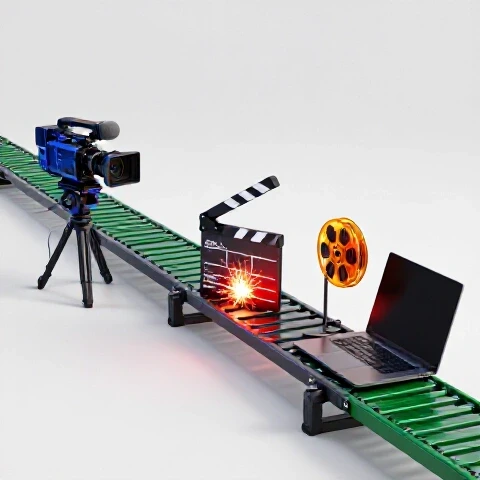
YouTube Operations Systems to Scale Video Production (Guide)
Did you know that the average top-tier YouTube creator spends less than 10% of their work week actually appearing on camera? While it looks like they are just talking to a lens, the reality is a massive operational engine humming behind the scenes. For the first five years of my career, I was the engine, the fuel, and the driver. I spent 80 hours a week scripting, filming, and painstakingly moving keyframes in Premiere Pro. I was successful, but I was also completely burnt out.
Transitioning from a solo creator to a business operator required me to stop looking at my channel as a hobby and start viewing it as a series of repeatable processes. By building structured production pipelines, I managed to reduce my personal workload by 70% while doubling my monthly upload frequency. This guide breaks down the exact operational frameworks I used to scale my business without losing creative control.

Identifying Your Scaling Readiness and Production Bottlenecks
Scaling readiness is the point where your revenue or audience demand exceeds your physical capacity to produce content without sacrificing quality or health. It involves auditing your current time spend to find the tasks that provide the lowest creative return on investment.
When I first audited my time, I realized I was spending six hours on color grading and sound design for every one hour I spent on strategy. To move from solopreneur to operator, you must identify these “time-sinks.” If you are consistently hitting your revenue goals but have no time to plan your next three months of content, you are ready to scale.
- The 80/20 Audit: List every task you do for a single video. Mark the 20% of tasks that only you can do (usually strategy and on-camera presence).
- The Energy Map: Note which tasks drain your battery. For many, this is the technical “middle” of the process, like syncing audio or finding b-roll.
- Revenue Benchmarking: Ensure your channel generates enough consistent monthly profit to cover a part-time editor’s retainer for at least three months.
Strategic Hiring for Scalable Video Pipelines
Strategic hiring is the process of bringing on specialized talent to take over specific segments of your workflow, starting with the roles that offer the highest time-back ratio. This allows the creator to focus on high-level creative direction while the team handles the technical execution.
My first hire was a freelance editor, but I made the mistake of not having a system ready for them. I spent more time explaining my style than it would have taken to edit the video myself. I learned that hiring isn’t just about finding talent; it’s about finding people who fit into a structured system.
- The Video Editor: This is almost always the first hire. They should handle the rough cut, fine cut, and color grading.
- The Thumbnail Designer: A specialized designer can often increase Click-Through Rate (CTR) more effectively than a creator using basic tools.
- The Research Assistant/Scriptwriter: This person gathers data, finds sources, and builds the initial “skeleton” of the video.
- The Channel Manager: They handle the administrative side, such as uploading, SEO metadata, and community management.
Delegation Decision Matrix for Channel Growth
| Task Category | Who Should Do It? | Why? |
|---|---|---|
| Concept & Strategy | Creator | Sets the vision and brand direction. |
| Research & Fact-Checking | Assistant | Saves 4-6 hours of “rabbit hole” time. |
| Rough Cut Editing | Editor | Removes the most time-intensive labor. |
| Thumbnail Iteration | Designer | Professional tools yield higher CTR. |
| Final Quality Review | Creator | Ensures the “voice” remains authentic. |
Building the SOP Engine for Consistent Output
Standard Operating Procedures (SOPs) are written or recorded instructions that document a recurring task. They serve as the “source of truth” for your team, ensuring that every video meets your quality standards regardless of who is working on it.
I used to worry that hiring an editor would ruin my “vibe.” The solution wasn’t finding a mind-reader; it was building an SOP that defined my vibe in measurable terms. For example, instead of saying “make it fast-paced,” my SOP says “no clip should last longer than 3 seconds without a zoom, cut, or b-roll overlay.”
- The Loom Method: Record your screen while you perform a task, like uploading a video or organizing a project file. This becomes the first draft of your SOP.
- The Style Guide: Create a document that lists your preferred fonts, hex codes for colors, and “never-use” list for music or transitions.
- The Feedback Loop: Build a checklist for your editor to follow before they send you a draft. This reduces the number of revision rounds.
SOP Template by Role for Efficient Handoffs
| Role | Primary SOP Needed | Key Metric to Track |
|---|---|---|
| Scriptwriter | Research & Hook Framework | Audience Retention at 30 seconds. |
| Editor | B-roll Sourcing & Pacing Guide | Total Editing Hours per Video. |
| Designer | Thumbnail Branding & Contrast Rules | Click-Through Rate (CTR). |
| Admin | Upload & SEO Metadata Checklist | Search Ranking for Primary Keywords. |
Practical Workflow Examples That Save Hours
A streamlined workflow is a sequential series of stages that a video moves through from idea to publication. By isolating these stages, you can prevent “task switching,” which is one of the biggest time-wasters for solo creators.
In my business, we moved to a “batching” system. I no longer script on Monday and film on Tuesday. Instead, we spend one full week on research and scripting for four videos. This creates a “buffer” that prevents the weekly panic of having no content ready.
- The Script Research Deck: My assistant creates a Notion page for every topic. It includes three title options, five thumbnail concepts, and a list of verified facts. This saves me roughly 4 hours of prep time per video.
- The B-roll Tagging Protocol: We use a shared library where every piece of stock footage is tagged by emotion or topic. When an editor needs “frustrated person,” they don’t search the web; they search our library.
- The Thumbnail Feedback Loop: My designer sends three distinct concepts. I use a “red line” tool to mark exactly what I like and dislike. This reduced our design time from two days to four hours.
Solo vs. Team Production Timelines
| Phase | Solo Creator Time | Team-Based Time (Creator’s Input) |
|---|---|---|
| Research | 5 Hours | 1 Hour (Reviewing) |
| Scripting | 6 Hours | 2 Hours (Final Polish) |
| Filming | 4 Hours | 4 Hours (Unchanged) |
| Editing | 15 Hours | 1 Hour (Feedback) |
| Graphics/Thumbnails | 3 Hours | 30 Mins (Approval) |
| Total Personal Time | 33 Hours | 8.5 Hours |
Managing the Team and Quality Control
Effective team management involves using project management tools to track progress and maintaining a high standard of quality through structured reviews. This prevents the creator from becoming a “bottleneck” who has to approve every tiny detail.
I transitioned to using ClickUp to manage my production pipeline. Every video is a “task” that moves through statuses: Research, Scripting, Filming, Editing, Review, Scheduled. I only need to look at the “Review” stage. This visibility reduced my Slack messages by 80%.
- Project Management Tools: Use Notion, ClickUp, or Trello. If a task isn’t in the system, it doesn’t exist.
- Asynchronous Communication: Avoid meetings. Use Loom for video feedback and Slack for quick updates.
- The “Three-Strike” Rule: If an editor makes the same mistake three times, the SOP is either unclear or the person is the wrong fit.
Financials and ROI of Scaling Your Operations
The Return on Investment (ROI) of scaling is measured by the increase in output and revenue relative to the cost of the team. While your profit margins might dip initially, the goal is to increase the total “pie” so your smaller percentage is worth more than your previous 100%.
When I hired my first team, my cost per video went from $0 to $600. However, I was able to increase my output from two videos a month to eight. The increased volume led to a 300% growth in ad revenue and brand deals within six months, far outweighing the labor costs.
Cost vs. Output Scaling Curves
- Phase 1 (Solo): $0 cost, 2 videos/month, $4,000 revenue. (Profit: $4,000)
- Phase 2 (1 Hire): $1,200 cost, 4 videos/month, $7,500 revenue. (Profit: $6,300)
- Phase 3 (Full Team): $4,000 cost, 8 videos/month, $18,000 revenue. (Profit: $14,000)
Common Scaling Mistakes to Avoid
Many creators fail during the transition because they try to delegate their “soul” or they hire too quickly without a foundation. Scaling is a marathon, not a sprint.
One of my biggest failures was hiring a “General Assistant” and expecting them to edit, write, and manage my Twitter. They were mediocre at everything. I learned that specialized freelancers are always more efficient than generalists.
- Micromanaging: If you are still choosing every transition, you haven’t delegated; you’ve just hired a pair of hands. Trust your SOPs.
- Under-investing in Tools: Don’t use free tools that don’t talk to each other. Spend the $20 a month for a professional project management suite.
- Lack of a Buffer: Never hire someone and expect them to produce a video for tomorrow. Give them a two-week lead time to learn your systems.
Conclusion: Your Roadmap to Becoming an Operator
Transitioning from a solo creator to a media business operator is the only way to achieve long-term sustainability on YouTube. By building systems that handle the heavy lifting of production, you reclaim your time to focus on what actually grows the channel: big ideas and strategic partnerships.
Start by documenting one single process this week. Whether it’s how you research titles or how you organize your camera files, get it out of your head and onto a page. Once it’s on the page, it can be given to someone else. That is the first step toward freedom.
FAQ: Scaling Your YouTube Production Systems
How do I know if I can afford to hire an editor? Look at your average monthly profit from the last 90 days. If you can pay an editor’s retainer and still have enough for your personal expenses plus a 20% business cushion, you can afford it. Most creators start with a per-video rate of $150-$400 depending on complexity.
Won’t my audience notice a change in my editing style? Yes, and if you do it right, they will notice it getting better. By providing your editor with a Style Guide and a library of your previous “best” edits, they can replicate your pacing while adding a professional polish you might not have the time to execute.
What is the best tool for managing a remote YouTube team? Notion is excellent for SOPs and script databases because of its flexibility. ClickUp is better for strict deadline tracking and moving videos through a multi-stage pipeline. I recommend starting with Notion for documentation and moving to ClickUp once you have more than three team members.
How much time should I spend on quality control? Initially, you might spend 2 hours per video reviewing drafts. As your editor learns your SOPs, this should drop to 15-30 minutes. Use a “Time-Stamped Feedback” system where you only comment on specific frames that need changes.
Should I hire a full-time employee or a freelancer? Always start with freelancers. It allows you to test the working relationship without the overhead of employment taxes and benefits. Once a freelancer is working 20+ hours a week for you consistently, you can discuss a full-time transition.
What if my editor leaves? Will my system collapse? This is why SOPs are vital. If your editing “secret sauce” is documented in a written guide and a video walkthrough, a new editor can be onboarded and reach 80% of the previous quality within one or two videos.
How do I delegate thumbnail design without losing clicks? Provide your designer with “winning” examples from your niche and your own past performers. Use a “Rule of Three” approach: have them send a conservative version, a “bold” version, and a “wildcard” version. Test these using a tool like TubeBuddy or TestMyThumbnails.
What is the “First 30 Seconds” SOP? This is a specific workflow focused only on the video intro. Since retention is highest in the first 30 seconds, I often provide much more detailed notes for this section while giving the editor more creative freedom for the rest of the video.
How do I track if my team is actually saving me money? Calculate your “Hourly Rate” by dividing your monthly profit by the hours you work. If you pay an editor $30/hour and your own time is worth $150/hour, every hour they save you is a net gain for the business.
Can I scale if I have a very “personality-driven” channel? Absolutely. The “personality” is the strategy and the performance. The lighting, the b-roll, the subtitles, and the upload schedule are all technical tasks. Some of the most “personal” vloggers have teams of 5-10 people helping them maintain that “one-on-one” feel.
(This article was written by one of our staff writers, Christopher Lang. Visit our Meet the Team page to learn more about the author and their expertise.)